
At least some of your potential customers probably speak another language. They may form a huge chunk of your customer base, or a sliver. You may know for a fact they’re out there, or maybe it’s just a maybe. Whatever the case, it’s easy to find out how big the opportunity is, because it can be very easy for you to reach people who use another language to search locally, whether by Googling or asking AI.
In a nutshell, the idea is this: install a translation plugin that creates a whole section of your site in a language you consider a high priority. If you’re on WordPress, try DeepL or a similar plugin. If you’re on another platform, consider Weglot. (Those are paid plugins, but I’m not aware of a similar translation that isn’t.) Whichever solution you pick, what you’ll end up with is a subdirectory of your site in that other language – like example.com/es (Spanish) or yoursite.com/fr (French) – and those pages will be translations of the pages already on your site. Sure, Google Translate can translate most sites, but it does so on the fly, and so it doesn’t give you pages – pages that you control and can refine.
The action item is simply to install (or have your developer) install one of those translation plugins on your site. The plugin lifts 4 big pyramid stones for you:
- It translates your pages (some or all of them) into the other language.
- It puts them in one specific neighborhood of your site – a subdirectory or subdomain.
- It links those pages together in the same way the pages in your primary language are linked together.
- It handles the hreflang tags, so it can serve those pages to people who tend to search in that language.
A couple of examples of sites using these translation plugins are PowersServicing.ca (the 2nd language is Canadian French) and Prosper Injury Attorneys (the 2nd language is Spanish).
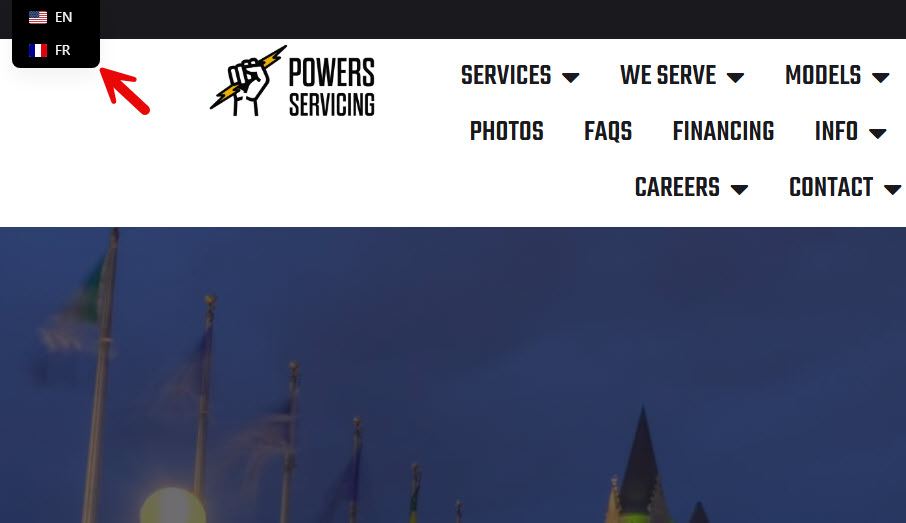
The biggest upshot for local SEO is obvious: you can rank for a greater variety of search terms if you rank for more than one language. The pages in your 2nd language might rank before your primary-language pages do. Different searchers, different pools of local competition, and different search volumes. One language is probably lower-hanging fruit than the other.
It’s ideal if you or your staff speak that language in your professional daily grind, but even nobody on your crew speaks it, it’s still probably worth targeting a 2nd (or 3rd or 4th) language. The people who find you may also speak your language (let’s assume it’s English), or if they don’t they’ll be able to decide for themselves how much of a language barrier there is. In other words, you’ll find out pretty quickly whether ranking in another language yields any additional local customers.
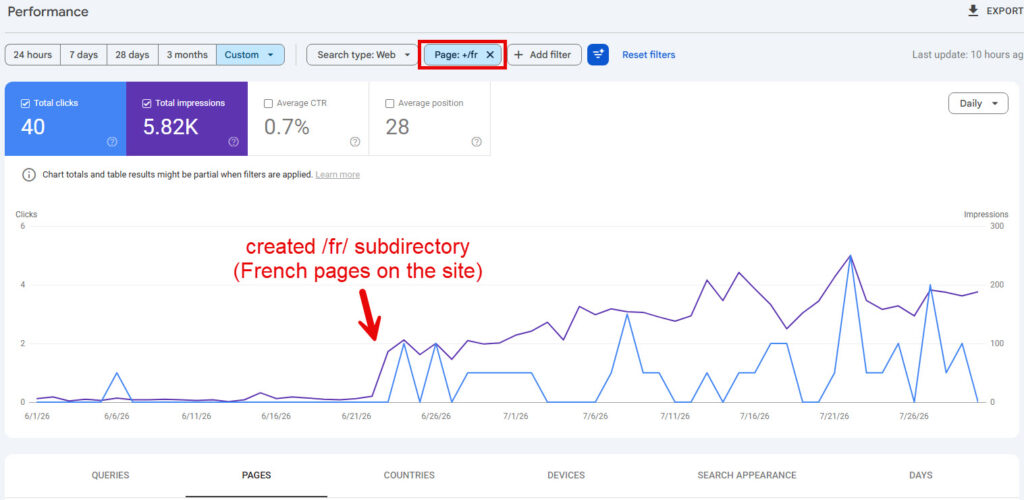
Besides seeing what kinds of customers you get after you set up the plugin, how can you measure results? Just in Google Search Console. Go to “Performance” and then to “Pages.” Then filter by the name of the subdirectory with your translated pages (/es, /fr, /pt-BR, /ar, etc.). That will show you how many impressions and clicks those other-language pages generated for you, and for what specific search terms. Those impressions and clicks can add up.
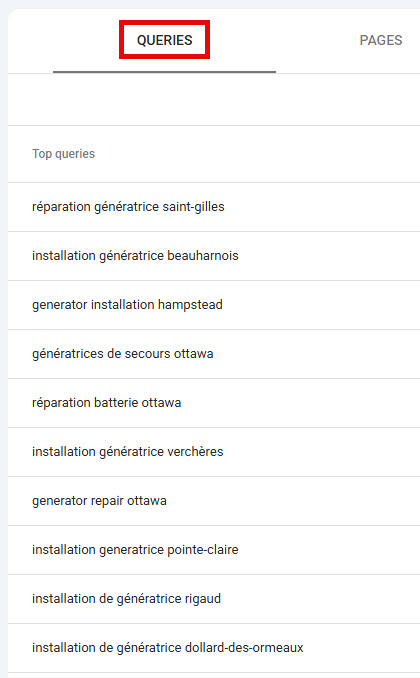
You’ll also get a keyword-research jackpot, if you sift through the “Queries” tab.
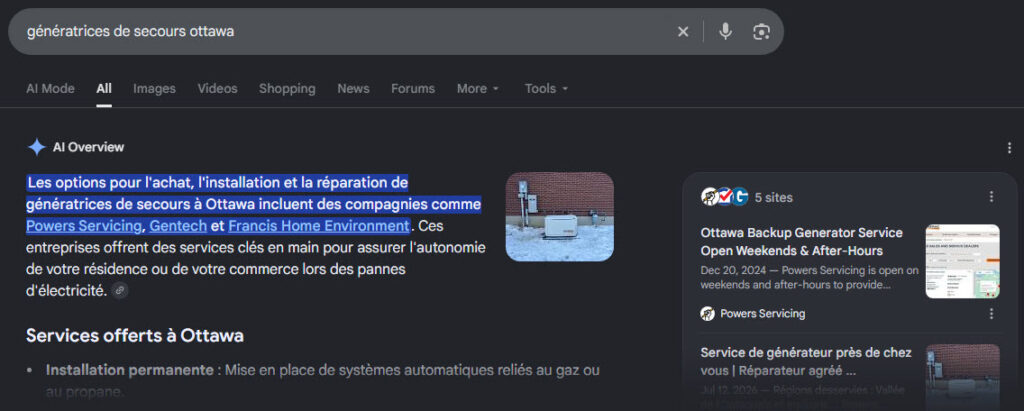
The quality of the traffic might even be higher. People searching in that other language might have fewer local options for businesses like yours, or maybe every competitor of yours does nothing to reach people who speak that language. Keep in mind, too, that your pages in the other language typically will trigger the local map (Google Maps results) for various terms, in addition to hauling in visibility in the organic results and (most likely) in the local AI results.
By the way, the main alternatives to the plugin are (1) to translate and build pages manually and (2) to build a separate site. Option 1 is fine, but can be a ton of work, and the internal linking can get tricky or messy. Option 2 might be faster to get off the ground, but it’s still a lot of work, and generally isn’t ideal, in that any additional site is an additional series of expenses and you’ll have to scrounge backlinks for two sites rather than for one.
A few notes:
- Make it clear whether anyone in your organization speaks the other language(s) you’re targeting. It’s probably not a problem if you don’t have a speaker on-staff, but nobody wants a misunderstanding on that point.
- The original pages on your site – those the plugin translates – should be good. Otherwise, the plugin will replicate all the shortcomings of the original page, and you’ll have a multilingual mess on your hands. The original pages should have a clear purpose (e.g. describing a service you offer), and they should be detailed, address basic questions, list the areas you serve, include plenty of internal links, and so on. They should be plainly written or sound like you or both. Take some time to fix them up before you configure the plugin. (That might even help your primary-language pages perform better, too.)
- You can use the plugin on a limited basis, to create translated versions of only some of the pages on your site. It’s not an all-or-nothing proposition.
- You’re not in it for life. The plugin can be either a long-term solution or a proof of concept. If you want or need to ditch the plugin later – perhaps just because you think you can do better without it – you can always go the scenic manual route. You can have a speaker tune up the plugin-translated pages , or you can build a subdirectory or subdomain without the plugin, or both.
Once you’ve got the pages in the other language, don’t forget to do a few follow-through tasks:
- Submit the new pages in Search Console. (Or just confirm that your XML sitemap includes the new URLs, that you’ve submitted that sitemap to Search Console, and that Google processed it OK.)
- Get Google reviews in that other language, if possible.
- Copy and paste any Google reviews in that other language onto your site.
- Consider using one of the other-language pages as the landing page URL of a Google Business Profile page you have in an area where lots of people speak that language. You should probably use the top-level page in the subdirectory – the translated version of your homepage, like yoursite.com/es/. Or you could also use a “location” page, like yoursite.com/es/el-paso/
- Fill out the “Services” field of your Google Business Profile page(s) in that other language, too.
TL;DR: check out DeepL or Weglot or a similar translation solution, and see if you can use it out on your site. I bet you can, and that it won’t be difficult. The results may be glorious.
Do you target more than one language on your site? If so, how do you do it, and how has it worked out? If you haven’t, what pros and cons are you weighing? Leave a comment!