Since 2016, Google Local Services Ads (LSAs) have been a staple strategy for service-based businesses. They allow brands to showcase their professional services to local searchers and potential customers to book right through Google. What also makes LSAs so great is that advertisers pay per lead rather than click.
Everything I just mentioned will remain true for the foreseeable future. However, with Google’s latest announcement, Local Services Ads are moving into the Google Ads interface–and getting a few more updates to how they’re built out and managed. I’m breaking down everything you need to know in this article.
Contents
- Google’s latest Local Services Ads update: What’s changing
- How to run Local Services Ads with PMax campaigns
- Google Local Services Ads update FAQ
Google’s latest Local Services Ads update: What’s changing
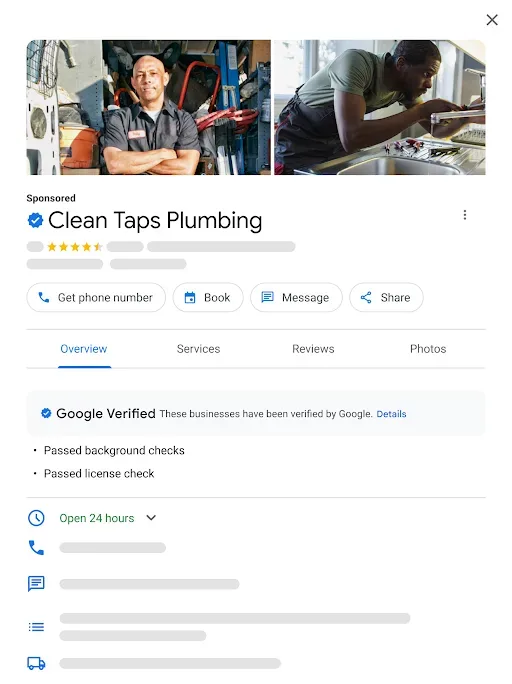
To fully understand this update, let’s first refresh on how LSAs currently work. Businesses that fit into one of over 80 service category choices have to verify their business through their Google Business Profile and run LSAs through the Local Search Advertising dashboard.
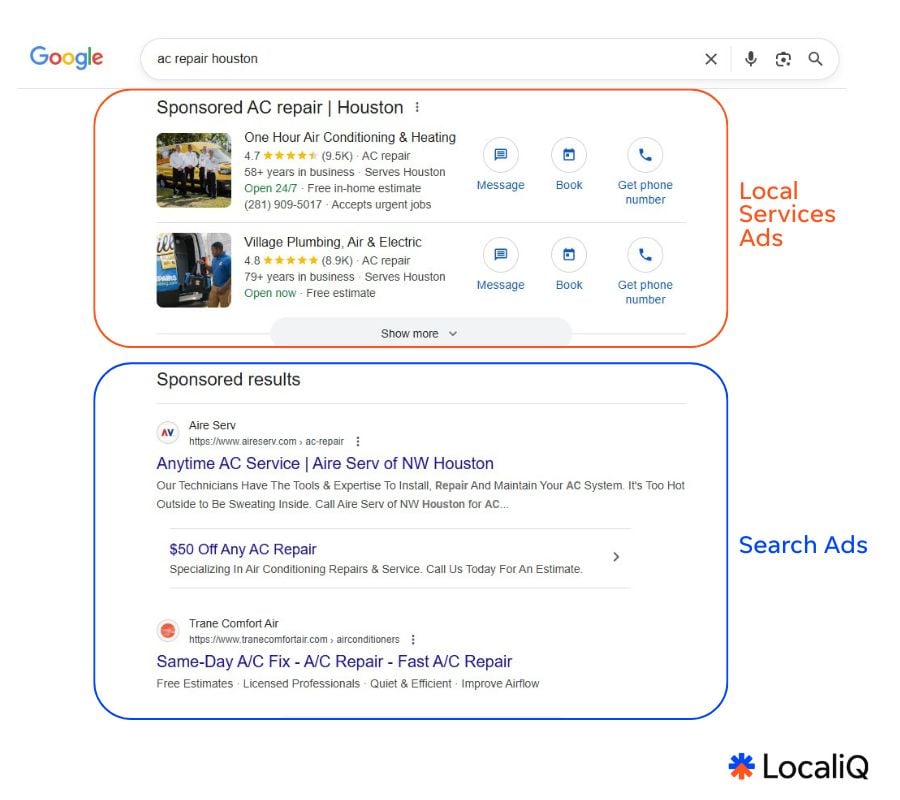
These ads show exclusively in Google Search and Google Maps results, and allow viewers to contact a business to book a service, request a quote, and so on directly on the ad without having to click off to a landing page. These ads reduce friction for both the user and the business. Plus, you only get charged once a potential customer completes a lead action from your Local Services Ad.
With the change Google is rolling out, LSAs will now live directly within the Google Ads interface, rather than the separate LSA dashboard (and the LSA dashboard will be sunset).
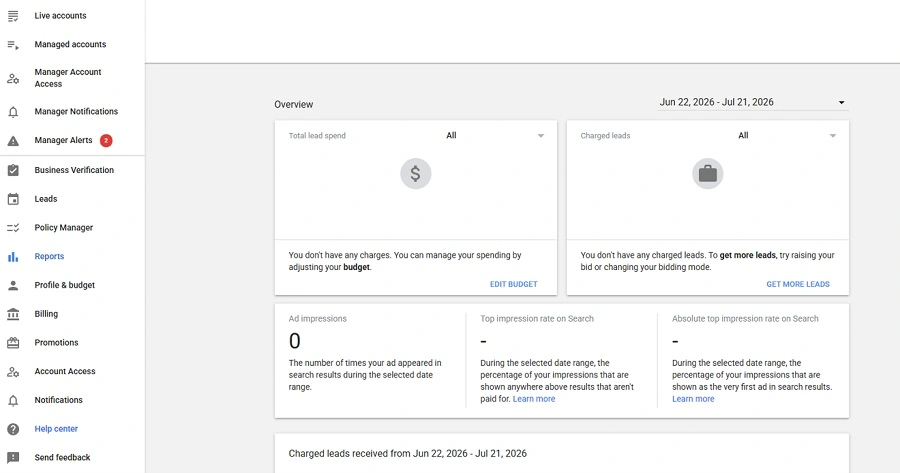
Hard to tell from this screenshot, but the LSA dashboard is actually waving “bye-bye” here.
But that’s not all. LSAs will also not exist as their own standalone campaigns. Instead, running LSAs will be done via Performance Max (PMax) campaigns specifically using a new pay-per-lead goal. So, now, to run Google Local Services Ads, you will have to set up a PMax campaign and assign it the pay-per-lead goal.
Unlike traditional PMax campaigns that charge per click and show across multiple different Google property placements, the pay-per-lead PMax campaign will create and run LSAs solely on Google Search and Maps (eligible placements for LSAs will remain the same).
Here’s a breakdown of what’s changing with this Google Ads Local Services Ads update:
- Local Services Ads dashboard will be sunset. Existing LSA campaigns advertisers are running will be automatically migrated to PMax campaigns with a pay-per-lead goal set within Google Ads. Any historical data from the LSA dashboard will need to be manually backed up before a business’s LSA campaigns are migrated to a Google Ads account. Individual advertisers will be alerted in their LSA dashboard as well as via email ahead of when this happens.
- Your Google Business Profile will be integrated with your Google Ads account. Advertisers have had the option to link their GBP to their Google Ads account for a while now, but now this will become a required, automated part of running LSAs through Google Ads.
- How you bid on LSAs could be impacted. Bidding strategies that were available to old LSA campaigns are not supported in Google Ads, so manual bidding and industry-level Target CPA bidding are being deprecated. Instead, advertisers previously on those strategies should use Smart Bidding with their PMax pay-per-lead campaigns, and would have a campaign-level target CPA applied across all vertical categories (if they were using industry-based target CPA bidding).
- Your LSA budget increments switch from weekly to daily. Previously, LSA campaigns would be bound to a set weekly budget, but those don’t exist in Google Ads—which functions off daily budgets and monthly spend limits. Therefore, when your LSAs transition, the new PMax campaigns they live within will have an assigned calculated daily average and monthly spend limit (you can edit this whenever once your campaigns have migrated). Learn more about Google Ads budget calculations
- Better Business Bureau (BBB) callouts on LSAs are being deprecated. Local Services Ads will no longer have the option to highlight BBB accreditation. Instead, advertisers are encouraged to add structured callout assets (such as business hours, specialties, or accepted payment methods) to their PMax LSA campaigns to help them stand out.
Here’s what will stay the same:
- Where your Local Services Ads appear. LSAs will continue to only show in eligible Google Search and Google Maps placements.
- How you pay for your LSAs. Advertisers will continue to only be charged each time an individual lead comes in from their PMax Local Services Ads.
- How LSAs are targeted. Local Services Ads created via PMax pay-per-lead campaigns will allow targeting through service categories and areas (along with other campaign settings you select).
- How you collect and track leads. The lead actions you enable and track through LSAs will remain the same in the new PMax format. Plus, past lead data will automatically transfer to Google Ads where you can access it in the Lead Manager interface within the platform.
 Could your account benefit from the new PMax LSAs? Find out with a free, instant account report using our Google Ads Grader!
Google PMax pay-per-lead LSA transition timeline and businesses impacted
Local Services Ads are only available to verified businesses within the many service industries specified by Google. The transition from LSAs running under the LSA dashboard to LSAs running under Google Ads platform Performance Max pay-per-lead campaigns will roll out gradually as follows:
- August 2026 is phase one of the migration. Google will automatically upgrade current LSA campaigns to PMax pay-per-lead campaigns within Google Ads for select home and storefront service advertisers in the United States. In the announcement, Google lists these industries as the ones it will be starting with next month: Plumbing, HVAC, electrical, appliance repair, house cleaning, lawn care, roofing, pest control, and moving.
- Late 2026 is when the migration will expand. Google will continue to roll out the update to broader advertiser groups, including service-area businesses without physical storefronts and accounts with custom bidding or booking configurations.
- Non-US accounts and all remaining business categories will transition in 2027. The update will be complete by next year.
Google’s aiming for minimal campaign downtime for advertisers during this transition. Your Google Business Profile account administrator will receive advance email alerts 14 days before your migration date, and you’ll be reminded directly in your current LSA dashboard, too.
Why Google Ads LSAs will be migrated to PMax pay-per-lead campaigns
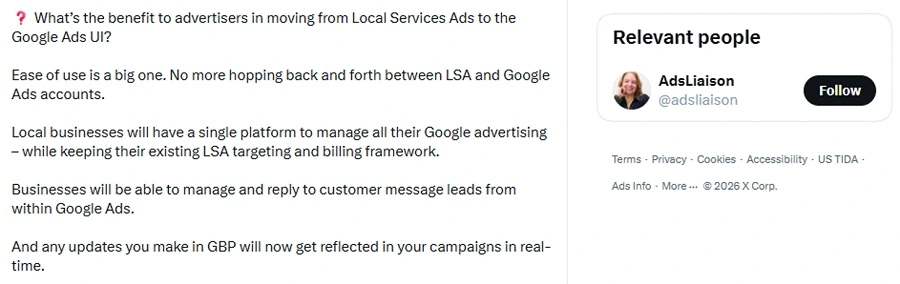
I think for most advertisers this change is welcome, as it is consolidating this campaign type into the main platform for easier management.
“No more hopping back and forth between LSA and Google Ads accounts,” Google Ads Product Liaison, Ginny Marvin, posted on X.
How to run Local Services Ads with PMax campaigns
Here’s how everything with LSAs will work from here on out.
What to do if you’re currently running LSA campaigns
If you currently have LSA campaigns, Google’s system will automatically transfer your entire campaign setup to Google Ads. In the announcement, Google states that your “targeted locations, service types, business categories, budget limits, ad schedule, and business photos will move over seamlessly without requiring your manual input.”
Once that happens, you’ll no longer be able to access your old Local Services Dashboard. Instead, you will be brought to the Google Ads interface upon signing in. So, the first thing you’ll want to do after reading this article is save your old LSA reports now to get ahead of any potential historical data losses. You can do that by following the steps to manually download your LSA campaign reports here. It’s also a good idea at this point to make sure your current LSA campaigns and Google Business Profile are updated and optimized, so that eventually your newly generated PMax campaigns start off on the right foot.
Next, keep your eyes peeled for when it’s your business’s turn to get an automatic migration applied to your LSA campaigns. You will know ahead of time via email and LSA dashboard banner notification when your account will migrate. At this point, you can sit back and let Google do all the transfer work automatically. Then, next time you sign in, you’ll be brought to the Google Ads interface rather than the LSA dashboard.
After your LSAs are automatically migrated, you can navigate over to campaign overview in Google Ads to see your new PMax campaigns that contain all your original LSA content and settings (minus your bidding strategy and budget shifting depending on your old setup). From there, navigating your campaign refinement is similar to any other standard Google Ads campaign, so this resource on how to run Google Ads might be helpful, or check out our article on how to track, analyze, and optimize Performance Max campaigns.
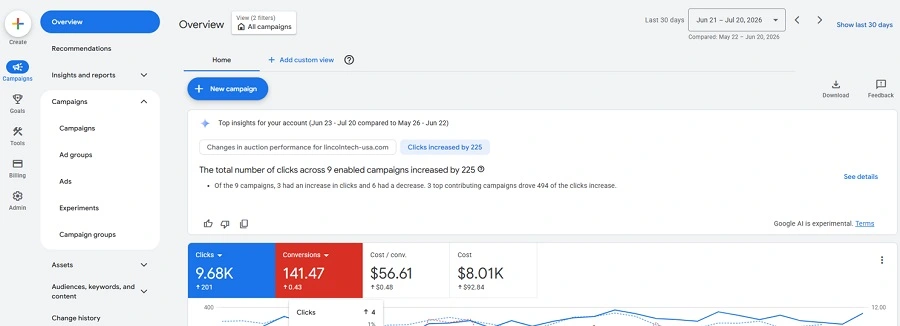
The Google Ads home screen looks like this, but when you click Campaigns on the left-hand side, you will find a table view of your new PMax pay-per-lead campaigns along with any other Google Ads campaigns you may be running.
The last thing you need to do is be patient. Google says that most transferred LSAs will start running right away once an account is migrated, but it’s important to note that it can take up to two weeks for the migration process to fully complete and campaign performance to stabilize.
How to prepare for your account’s LSA to PMax transfer
To recap, here are the steps to prepare for the Google Ads LSA migration to PMax.
- Look out for email and banner notifications informing you of your account’s upcoming transition date. Download historical LSA performance reports before your migration.
- Check your current LSA and GBP setups. Ensure everything is up to date and aligned with your business’s overall advertising strategy for a smoother transfer experience.
- Once your campaigns have migrated, check settings like budget and bid strategy to ensure your new PMax campaigns are set up how you want. Then, wait two weeks before any major optimization changes.
Note that if you’re working with a marketing partner (for example, if you’re a LocaliQ customer) to run your Google Ads campaigns, this transition will be managed for you, and these steps are already taken care of.
How to set up new LSAs going forward
If you don’t currently have any LSA campaigns running, the new setup process is pending. But you can continue to set up new local Business Profile accounts and campaigns through http://g.co/localservices temporarily.
“You can’t create new campaigns with pay-per-lead goals directly within Google Ads at this time. If you need to set up additional campaigns or local accounts, please continue to visit g.co/localservices. Campaign creation will become available later,” the official Google announcement states.
Here are some additional steps you can take to future-proof your local advertising strategy for your service-based business.
- Check that your business is in an industry eligible for LSAs here.
- Create a Google Business Profile and follow the prompts to verify your business here: https://business.google.com/us/business-profile/
- Link your Google Business Profile to your Google Ads account.
- Become familiar with PMax campaigns in Google Ads, so you’re ready to create new pay-per-lead PMax campaigns when the option becomes available.
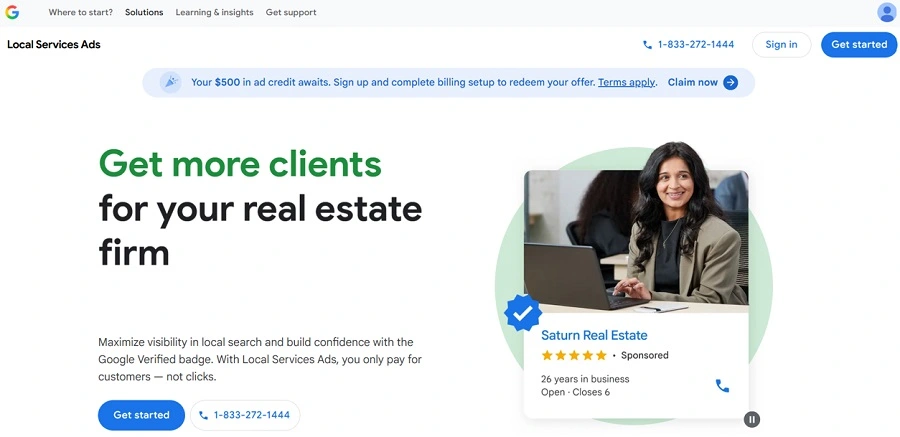
For now, this site above is still available for businesses that want to start new or expand with LSAs. Eventually, creating new PMax pay-per-lead campaigns will become an option within Google Ads instead.
Google Local Services Ads update FAQ
If you have more questions about the new PMax-powered LSAs, I’ve got you covered.
What’s happening to the Google Local Services Ads dashboard?
The Google Local Services Ads dashboard, along with any historical data held within it, will be fully sunset by 2027.
Which industries will be most impacted by this LSA update?
Only service-based businesses eligible to run Local Services Ads will be impacted by this Google Ads update.
Do I need to re-verify my business to run LSAs on Google Ads?
No, if your business is already verified via Google Business Profile, you will not need to re-verify once your LSA campaigns have transitioned to PMax.
Will my PMax LSAs still display a Google verified badge?
Yes, all Local Services Ads for eligible businesses in select verticals will still include a Google Verified badge—so long as the business passes the required business registration and representative checks.

Where will my PMax Local Services Ads show?
Although Performance Max campaigns are known to show across multiple Google placements and properties, pay-per-lead PMax LSAs will continue to only show in Google Search and Maps results.
Can I still view my LSA dashboard’s historical data once this update is rolled out?
No, you’ll have to download your historical LSA campaign performance reports. This resource from Google walks you through how to manually save your historical reports. However, your past customer lead history (like contact details, call recordings, etc.) will automatically transfer to Google Ads, where you can access it in the Lead Manager interface within the platform.
How do I know when my business’s LSA campaigns are migrating to Google Ads?
There are no set release dates for this update for specific businesses, but Google will be rolling out this change for some industries by early August 2026, and all accounts will have transferred over by the end of 2027. You will know ahead of time by email notification as well as a banner notification in your current Local Services Ads dashboard.
Can I still manage my Google Business Profile outside of Google Ads?
You can still access, edit, update, and optimize your Google Business Profile organic assets directly within your Google Business Profile account. However, if you want to run ads based on your Google Business Profile, it will have to be done directly in Google Ads by way of pay-per-lead PMax LSAs. Any changes you make to your Google Business Profile will be automatically synced into your Google Ads account so your PMax LSAs stay updated.
Do I need to do anything else to prepare my LSAs for this transition?
No, the migration will happen automatically, so there is no action needed to be taken by advertisers. It’s a good idea to double-check your campaign settings before and after your account transition, though, to see if everything is carrying over how you like.
I’m not currently running LSAs; should I start?
If your business collects leads and is in one of the eligible industries, you should absolutely run LSAs by way of pay-per-lead PMax campaigns. LSAs can be lower cost, stand out in search results, and make it easy for viewers to turn into leads.
How local businesses can tackle the upcoming LSA update
If you’re concerned about how this Google Ads update will impact your local service business, don’t panic! Remember, here are three steps to ensure your automatic transition from LSA to PMax campaigns goes smoothly:
- Check your current LSA and GBP setups. Ensure everything is up to date and aligned with your business’s overall advertising strategy.
- Keep an eye out for email and banner notifications for your upcoming transition. Download historical LSA performance reports before your migration.
- Once your campaigns have migrated, check settings like budget and bid strategy to ensure your new PMax campaigns are set up how you want. Then, wait two weeks before any major optimization changes.
For more ways to maximize your local advertising strategy, see how our solutions can help you navigate whatever Google updates get thrown your way!
The post Google Local Services Ads Meet PMax: What You Need to Know appeared first on WordStream.