Key takeaways
- A social media workflow is a repeatable, step-by-step process for how your team creates, approves, publishes, and measures social content across platforms.
- Most teams need several workflows working together (content creation, approvals, publishing, and reporting) to stay consistent and on-brand.
- AI can now support ideation, drafting, scheduling, and reporting, but workflows still need clear roles and governance to work at scale.
- The right workflow tools bring planning, approvals, and analytics into one system so teams stop switching between disconnected apps.
What is a social media workflow?
A social media workflow is a repeatable, step-by-step process for how your team creates, publishes, and promotes social media content.
Depending on your team’s setup, you might use a few different types of workflows, including:
- Planning workflows: Defining your goals, channels, audience, and posting schedule.
- Content workflows: Drafting content, designing visuals, and preparing posts for publication. This also includes repurposing top-performing content into new formats.
- Approval workflows: Moving posts through internal review before they go live.
- Posting workflows: Scheduling and publishing content across multiple platforms using tools.
- Reporting workflows: Tracking performance data and sharing insights with your team.
Each one plays a role in keeping your social media operation running smoothly, no matter how big your team or how many channels you’re managing.
Bonus: Download our bundle of free customizable social media workflow templates and set up a clear approval process for your team in minutes.
What are the benefits of a social media workflow?
A strong social media workflow can give your team the structure to work smarter, protect your brand, and prove the impact of your social efforts.
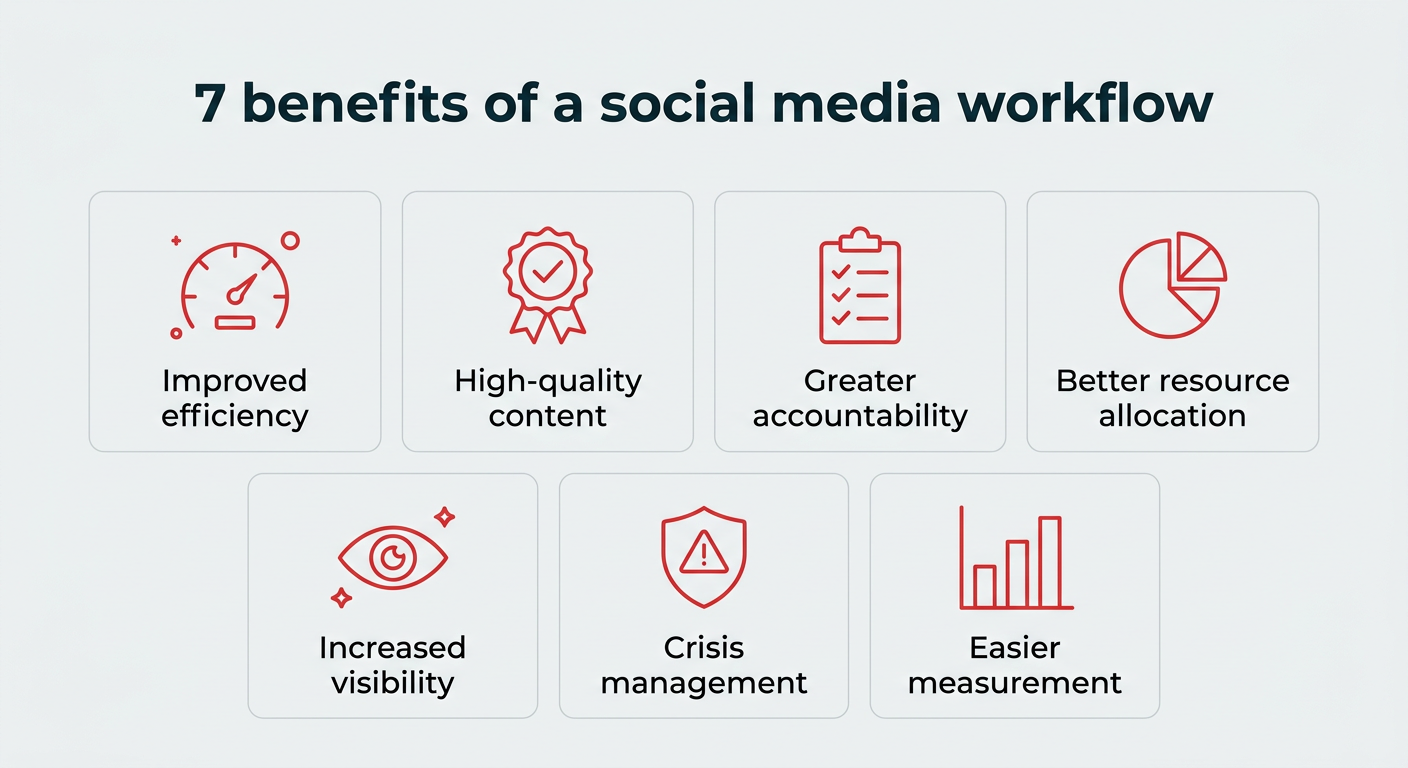
Here are the top benefits of a well-designed social media workflow:
- Improved efficiency: A clear workflow reduces the risk of errors, so your team can spend less time fixing mistakes and more time creating great content.
- High-quality content: When every post moves through the same checkpoints, your content stays on-brand.
- Greater accountability: By assigning tasks and deadlines, everyone knows what they’re responsible for.
- Better resource allocation: With a clear overview of who’s doing what, it’s easier to manage your team’s time, budget, and energy.
- Increased visibility: A workflow helps you publish consistently across channels, which keeps your content in front of audiences when it matters most.
- Crisis management: With a social media workflow in place, you can be sure that the right people on your team check every piece of content against your compliance guidelines before it goes live.
- Easier measurement: With a structured workflow, it’s simpler to track campaign results and use those insights to shape smarter strategies down the line.
In short, a social media workflow gives your team a clear system that keeps your efforts consistent, efficient, and on-brand.
5 types of social media workflows
Most teams don’t rely on just one social media workflow. They use several. Here are five common types to help you get started.
Basic social media workflow
A basic social media workflow covers all of your team’s day-to-day social media activities, from brainstorming ideas to publishing posts and tracking their performance. It’s essentially the foundation other workflows are built on.
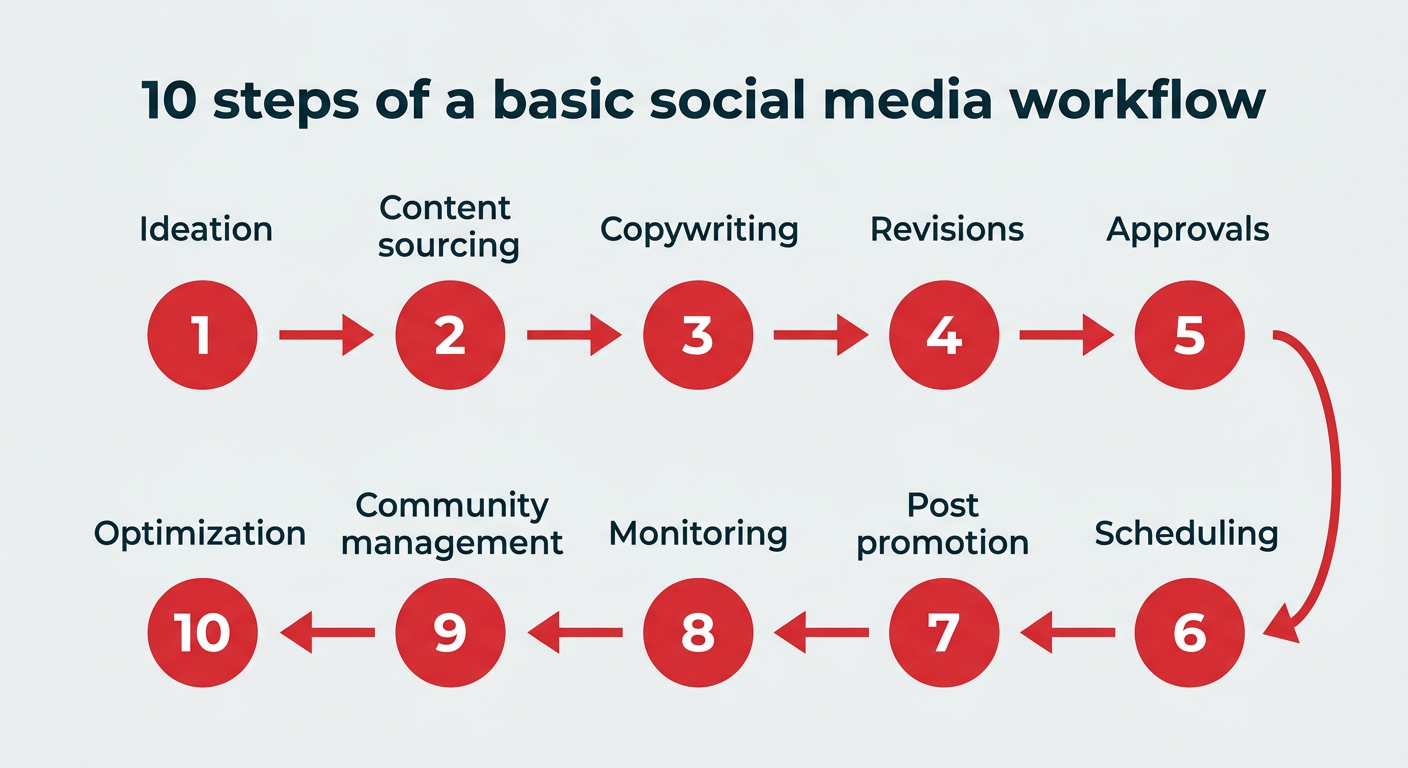
The 10 steps of a basic social media workflow are:
- Ideation: Brainstorming ideas for posts or campaigns (Pro tip: Hootsuite Social OS can surface fresh ideas based on what’s already performing well on your accounts)
- Content sourcing: Collecting or creating the visual assets you’ll need
- Copywriting: Writing captions, hooks, and campaign taglines
- Revisions: Copyediting and reworking based on feedback
- Approvals: Getting sign-off from internal and external stakeholders
- Scheduling: Setting up posts to go live at optimal times
- Post promotion: Using paid and organic strategies to boost reach
- Monitoring: Tracking performance and engagement once posts go live
- Community management: Responding to comments and DMs, and routing any customer service requests
- Optimization: Making daily adjustments based on how content is performing
If you only document one workflow, make it this one. Everything else builds on it.
Social media posting workflow
A social media posting workflow focuses on the creation and scheduling of content across platforms. It’s the workflow most social teams touch every single day.
Here are the eight steps of a social media posting workflow:
- Ideation: Coming up with ideas for new posts.
- Content sourcing: Researching topics and gathering relevant images, GIFs, or videos
- Drafting: Writing copy and designing visuals
- Editing: Spell-checking, copyediting, and reviewing visuals
- Approval: Getting stakeholder sign-off
- Scheduling: Setting posts to go live at specific times
- Monitoring and reporting: Tracking how posts perform once they’re live
- Ad-hoc posting: Leaving room in your schedule to respond to trends or news in real time
A well-run social media content workflow keeps daily publishing predictable without locking out real-time opportunities.
Social media approval workflow
A social media approval workflow moves content through internal review before it goes live. It’s the backbone of any successful social program, especially for teams working in regulated industries where a single non-compliant post can trigger legal or regulatory consequences and a full-blown crisis.
The four steps of a social media approval workflow are:
- Ideation: Collecting campaign and post ideas, which may need early approval before moving to creation
- Creation: The creative team develops and designs content based on the approved concept
- Review: Stakeholders (marketing, legal, clients, etc.) check that the content meets brand standards and regulatory requirements
- Approval: Once everyone signs off, the content is cleared for posting
Done right, approval workflows protect your brand without adding days to your publishing timeline.
Content batching workflow
Content batching is the process of creating multiple pieces of content at once and then scheduling them for release over a set period. It’s how busy teams stay consistent without burning out on daily creation.
The eight steps of a content batching workflow are:
- Ideation: Brainstorming content for a defined period (usually a week or month)
- Calendar creation: Building a content calendar for your timeline and getting it approved before production begins
- Content sourcing: Collecting content assets (e.g., images, GIFs, or videos)
- Content creation: Producing posts based on the approved calendar, including copywriting and design
- Revision: Editing content for accuracy and quality
- Approval: Reviewing and approving all content before it’s published
- Scheduling: Queuing approved content to go live at specific times
- Analytics and optimization: Monitoring performance and using those insights to improve future content
Batching works best when your content calendar is locked before production starts, so creators aren’t guessing what to make.
Social media influencer collaboration workflow
An influencer collaboration workflow is the process for planning, executing, and measuring a partnership with an influencer or creator.
The eight steps of an influencer collaboration workflow are:
- Goal setting: Defining what you want the partnership to achieve, whether it’s brand awareness, conversions, or audience growth
- Budget planning: Setting a clear budget for influencer fees, content production, and any paid amplification
- Influencer identification: Researching and shortlisting creators whose audience, niche, and values align with your brand
- Outreach: Reaching out to influencers with a clear pitch, timeline, and high-level campaign idea
- Negotiation: Agreeing on deliverables, usage rights, posting schedule, and compensation
- Creative brief: Sharing a clear brief that outlines messaging, must-haves, brand guidelines, and creative freedom
- Content review and approval: Reviewing the influencer’s content before it goes live to ensure it meets brand and compliance standards
- Performance tracking: Measuring the campaign’s results against your original goals, then using those insights to inform future collaborations
Treat creator partnerships like campaigns, not one-off posts, and the results get much easier to replicate.
How to create an efficient social media workflow
Creating a social media workflow is all about balance: enough structure to keep your team consistent (and compliant), but not so much that every post turns into a bottleneck.
Here are seven tips for building a workflow that actually works:
- Establish roles and responsibilities
- Know the rules of your industry
- Use a social media calendar to plan ahead
- Document the process
- Stay secure
- Use a unified social media inbox
- Build AI into the steps that slow you down
1. Establish roles and responsibilities
Social media workflows often involve multiple people, so it’s important to define roles and responsibilities upfront. When roles are unclear, tasks get duplicated, deadlines slip, and posts fall through the cracks.
Here are the most common roles to consider:
- Social media manager: Develops the social media strategy and runs the day-to-day operations
- Copywriter: Writes engaging social posts and captions for each platform
- Designer: Creates graphics and other visual content
- Editor: Reviews content for clarity, accuracy, and tone
- Community manager: Engages directly with your audience, responds to comments and DMs, and flags customer service issues
- Approver: Gives the final green light before content goes live (sometimes this involves multiple approvers)
- Analyst: Tracks key metrics, builds reports, and uses data-driven insights to shape content strategy
- Legal: Does a final compliance review
Not every team needs every role. Whatever your structure looks like, the key is making expectations, deadlines, and accountability crystal clear.
2. Know the rules of your industry
Before you build any workflow, make sure you understand the rules that apply to your industry. For regulated sectors like finance, healthcare, and government, non-compliance can carry fines and legal exposure (think HIPAA in healthcare or FINRA in financial services).
That means knowing things like:
- Disclosure requirements for sponsored posts
- Legal rules around using user-generated content (UGC)
- Record-keeping of all communications
- Restrictions on specific hashtags, claims, or terminology
Read up on your industry’s requirements and the compliance tools available to you before you start building.
3. Use a social media calendar to plan ahead
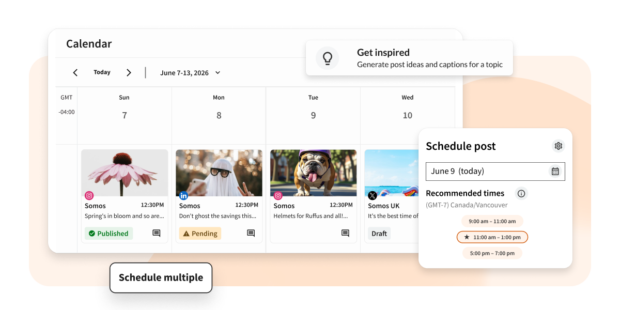
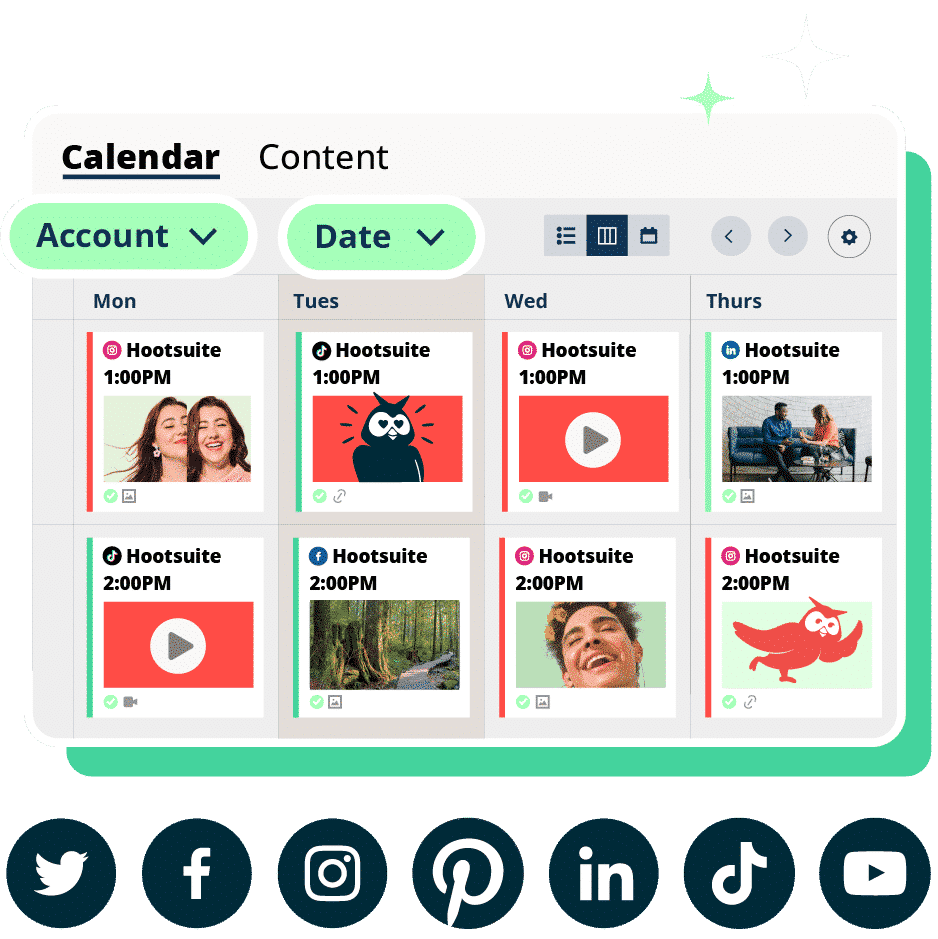
A social media calendar is one of the easiest ways to stay organized and consistent. It gives you a clear view of what’s going out, when, and on which platform.
Planning ahead also gives you the flexibility to batch content, schedule posts in advance, and jump on trending topics.
As a result, you spend less time scrambling for last-minute post ideas and more time focusing on the work that actually moves the needle, like engaging your target audience with great content.
4. Document the process
The best way to keep your workflow running smoothly is to write it down. A standard operating procedure (SOP) makes sure every team member, new hire, and stakeholder understands the steps.
And, that all of your workflows are easily repeatable across clients, social channels, and campaigns.
A strong social media workflow SOP should include:
- Roles and responsibilities for everyone involved
- Details of how posts get created, reviewed, and published
- Rules for specific content types or brand guidelines
- Policies for when posts should be approved or rejected
- Instructions for measuring social media performance
- Any legal, compliance, or regulatory requirements
A clear SOP keeps everyone on the same page, cuts down on mistakes, and protects your brand from compliance headaches.
5. Stay secure
Security should be baked into every workflow. That means giving password and login access only to trusted team members, and using tools like two-factor authentication to protect sensitive data.
A clear chain of command also matters. When the right people review posts before they go live, your brand voice stays consistent and confidential info stays out of the wrong hands.
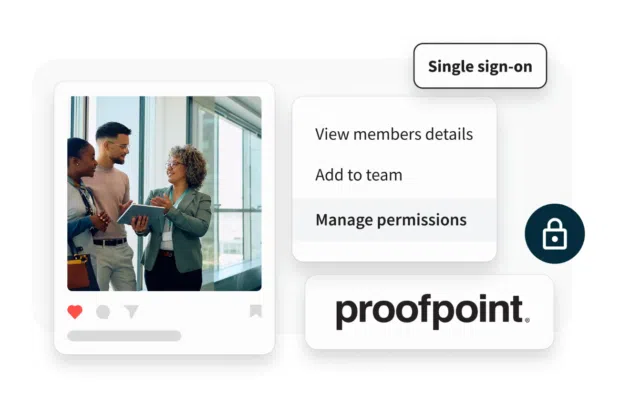
Social media management tools like Hootsuite make this easier with custom permissions and governed approval workflows.
Pair that with social media monitoring tools to catch suspicious activity early, such as fake accounts impersonating your brand, or an influx of spam comments under your posts.
It’s also worth running regular audits of your privacy settings and publishing access. Small check-ins now can save a lot of headaches later.
6. Use a unified social media inbox
Workflows aren’t just about creating and posting content. Your team also needs a system for managing inbound messages, like DMs, comments, mentions, and customer service questions across every platform.
A unified inbox pulls all of those conversations into one place, so nothing gets missed. It also makes it easier to route messages to the right team members, track response times, and keep a history of every customer interaction.
For example, Nest, the customer care app inside Hootsuite Social OS, helps teams handle:
- Private messages and DMs
- Public comments and mentions
- Emoji reactions
… and more. Plus, its all-in-one agent workspace makes it easy to:
- Track every customer’s interaction history across your accounts and platforms, so your team has the context to personalize replies
- Add notes to customer profiles (Nest integrates with Salesforce and Microsoft Dynamics)
- Handle messages as a team with intuitive queues, task assignments, statuses, and filters
- Track response times and CSAT metrics
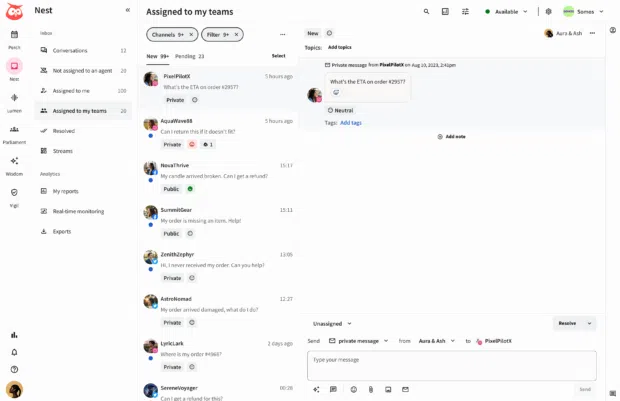
Nest also comes with connected automations like auto-replies, message routing, and a generative AI chatbot that can handle routine questions. Start your free trial to see how it fits your team’s process.
7. Build AI into the steps that slow you down
Instead of adding AI everywhere at once, pick the two or three steps where your team loses the most time. For most teams that’s first-draft copy, reporting, and triaging inbound messages.
Map those steps first, then decide who reviews the AI output before it ships. That review step is what keeps quality and compliance intact as volume goes up. We’ll cover this in more detail next.
How does AI fit into your social media workflow in 2026?
AI now sits inside almost every stage of a social media workflow, from the first idea to the post-campaign report. The teams getting the most out of it aren’t replacing steps. They’re speeding up the slow parts and keeping a human decision at each checkpoint.
Here’s where an AI social media workflow tends to pay off:
- Ideation: Use AI-powered insights to spot which topics, formats, and hooks are already resonating with your audience, then build your calendar around them instead of guessing.
- Drafting: AI-assisted content creation can generate first-draft captions and platform variations, so writers start from something rather than a blank page.
- Scheduling: Recommended posting times and bulk scheduling reduce the manual work of loading a full month of content.
- Listening: Lumen, the integrated insights and listening app inside Hootsuite Social OS, surfaces real-time insights on brand mentions and sentiment so community managers can act on issues while they’re still small.
- Inbound triage: AI can classify and route incoming messages, and answer routine questions, so your team focuses on the conversations that need a human.
- Reporting: Plain-language queries let you pull performance answers without building a report from scratch, which shortens the loop between insight and next action.
One caution on workflow automation: the more AI you add, the more your governance matters. Gartner frames AI in marketing as a governance problem, not a tooling race. Enterprise teams should pair AI-assisted steps with clear permissions, brand guardrails, and a named reviewer for anything customer-facing. AI can compress the work, but accountability still belongs to a person.
How do you measure and improve your social media workflow?
You measure a social media workflow the same way you measure content: pick a few metrics, review them on a schedule, and change one thing at a time. The goal is a process that stays simple as your team and channel count grow.
Start with these workflow health metrics:
- Turnaround time: How long a post takes to move from idea to published. Track it by stage so you can see where things stall.
- Approval cycle time: How long content waits in review, and how many rounds it takes to get signed off.
- Error rate: How often posts go out with typos, wrong links, wrong assets, or missing disclosures.
- Publishing consistency: The share of planned posts that actually went live on schedule.
- Rework volume: How much content gets rejected or rebuilt after creation, which usually points to a briefing problem upstream.
- Team feedback: A short quarterly pulse check on where the process feels heaviest. Your team knows the bottlenecks before your data does.
Then keep the workflow itself lean. Map out the essential steps (draft, approve, schedule, post, measure) and only add complexity where it’s genuinely needed. If a step doesn’t serve a clear purpose, cut it.
Workflows aren’t set in stone either. As your team grows, platforms evolve, and strategies shift, your process should shift with them. That might mean reassigning responsibilities, adding an approval layer for a regulated campaign, or retiring tasks that no longer make sense.
A quarterly review, plus a lighter check-in after big campaigns or platform changes, is usually enough to keep things efficient without getting rigid.
What are the most common social media workflow mistakes to avoid?
Most workflow problems come from a handful of predictable habits. Knowing them upfront saves you from redesigning your process six months in.
- Overcomplicating approvals: Adding reviewers to feel safer usually just adds delay. Keep the smallest number of approvers who can genuinely catch brand, legal, or accuracy issues.
- Skipping documentation: If the process lives in one person’s head, it breaks the moment they’re on vacation. Write it down, even if it’s a one-page SOP.
- Ignoring analytics feedback: Plenty of teams report on performance but never feed those findings back into planning. Build a standing step where last month’s results shape next month’s calendar.
- Siloing tools: Running planning in one app, publishing in another, and reporting in a third creates gaps where context gets lost. Connected systems reduce the manual handoffs.
- Treating AI as a replacement for judgment: AI can draft, sort, and summarize. It shouldn’t be the last set of eyes on anything that represents your brand publicly, especially in regulated industries.
Free social media workflow templates
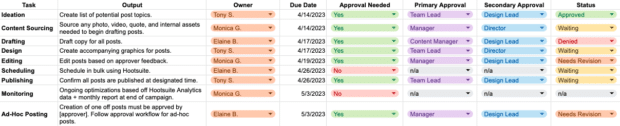
Now that you know how to build and maintain a workflow, here’s a shortcut to setting one up. We’ve put together a set of easy-to-use, fully customizable social media workflow template files to help you get started.
The set covers the stages most teams need: a planning and calendar view, an approval tracker with reviewer columns and status fields, and a reporting layout for tracking results after posts go live.
Swap in your own roles, channels, and turnaround times, then delete any stage your team doesn’t use. The simpler you keep the first version, the more likely your team will actually follow it.
What are the best social media workflow tools in 2026?
The best social media workflow tools help your team plan, create, approve, and publish content without the chaos of jumping between apps or spreadsheets.
The right setup depends on your team size and budget, but here are four solid options to consider.
- Hootsuite
- Google Sheets
- Asana
- Notion
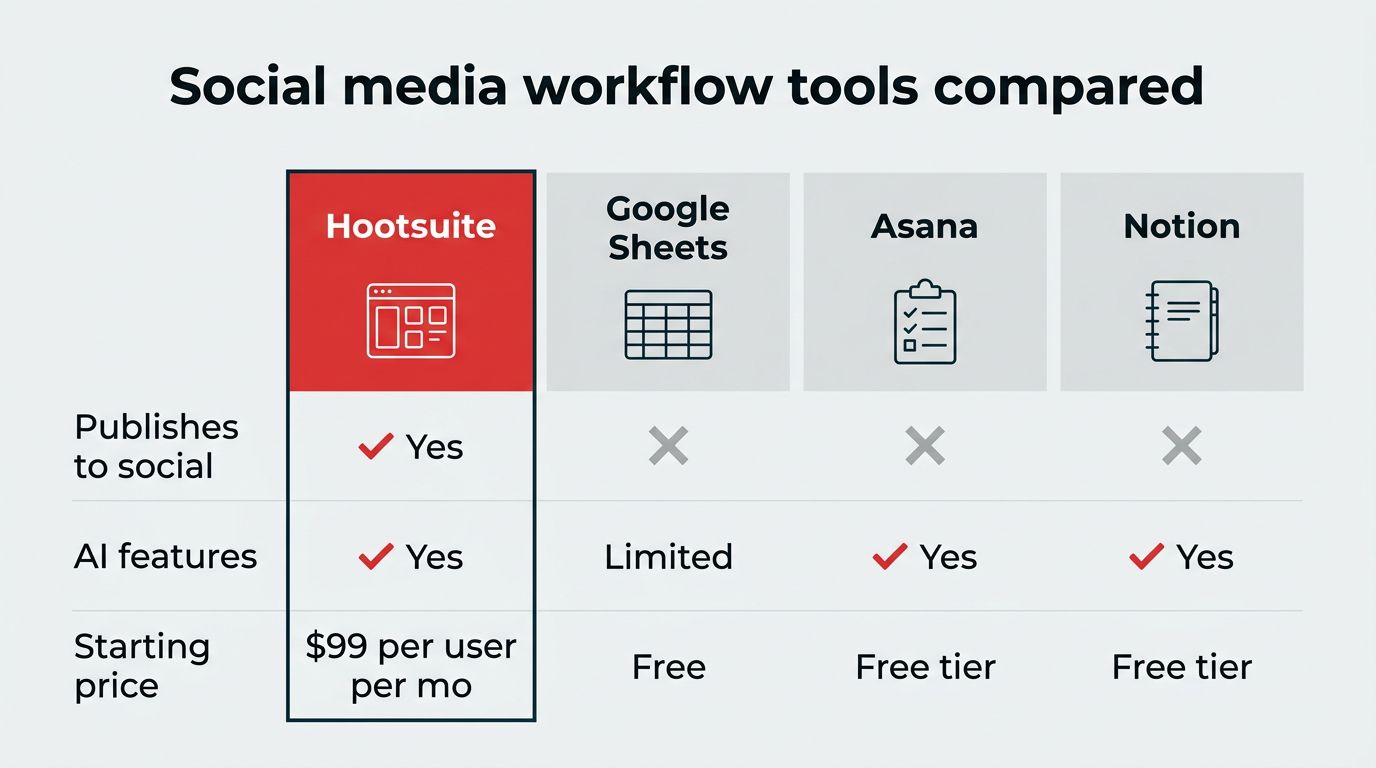
|
Tool |
Best for |
Key workflow features |
Publishes to social? |
AI features |
Starting price |
|---|---|---|---|---|---|
|
Hootsuite |
Teams managing multiple accounts end to end |
Content calendar, approval workflows, custom permissions, unified inbox, analytics |
Yes |
AI assistant, DM automations, AI-powered insights and listening |
$99/user/month (Standard, billed annually) |
|
Google Sheets |
Lean teams building a first workflow |
Manual trackers, comments, tagging, shared columns |
No |
Limited |
Free with a Google account |
|
Asana |
Campaign and deadline management |
Task assignment, templates, rules-based automations |
No |
Task and workflow assistance |
Free tier available |
|
Notion |
Storing SOPs, briefs, and calendars in one place |
Databases, calendar views, docs, task assignment |
No |
Notion AI (included with Business plan) |
Free tier available |
Hootsuite
Hootsuite Social OS is a social operating system built to handle workflows and approvals from start to finish. Teams can draft, edit, approve, schedule posts, and track KPIs from connected systems rather than a stack of separate apps.
Its dynamic content calendar gives your team full visibility into what’s being published next, across every platform. It also makes it easy to schedule content ahead of time, so you can plan campaigns weeks (or even months) in advance.
Nest handles inbound conversations, and Lumen brings listening and insights into the same workflow, so what you learn feeds directly into what you plan next.
Approval features are available for Advanced and Enterprise users. You can assign specific permissions to each team member to control exactly who can publish what.
Google Sheets
Source: Google
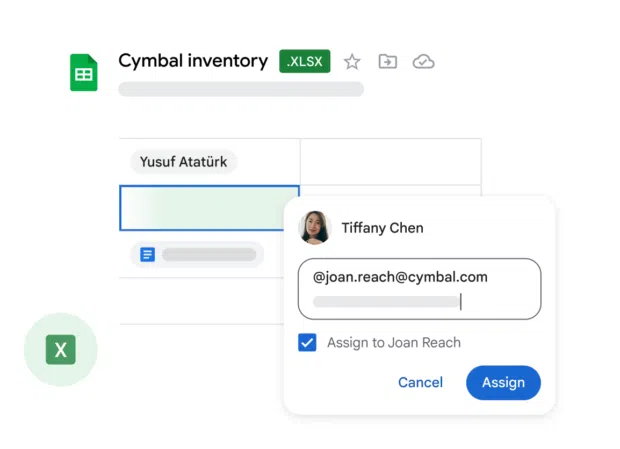
Google Sheets is a simple, low-cost way to build a social media workflow when you’re just getting started. You can use it to organize posts, track approvals, and assign tasks to team members.
When content approvals are needed, tag teammates directly in the sheet, or add a column for comments so everyone can see what’s been reviewed at a glance.
One heads-up: Not everyone keeps their Google notifications turned on, so you may need to follow up on Slack or email to keep things moving.
While Sheets work well for lean teams, you’ll likely outgrow it as your content volume (and team) scales.
Asana
Source: Asana
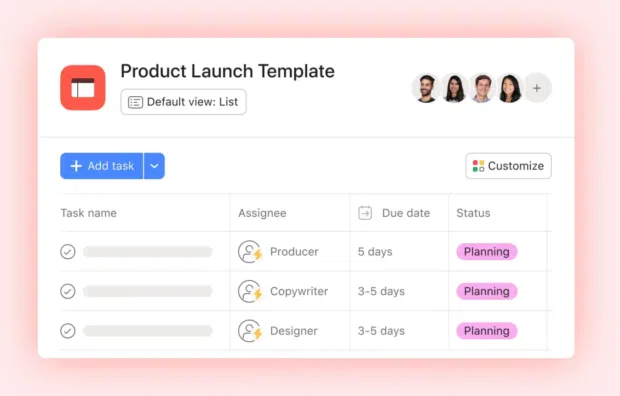
Asana is a project management tool that a lot of social teams use to organize the work around their content, like planning campaigns or tracking deadlines.
A few features that make Asana especially useful for social workflows:
- Templates: Choose from 80+ ready-made templates for common workflows, or build your own from scratch.
- Automations: Set up rules to automatically assign tasks and move work between stages.
Asana also integrates with tools like Slack, Google Drive, and Hootsuite, which makes it easy to plug into whatever workflow your team already runs.
The tradeoff? Asana handles the planning and collaboration side, but it won’t publish content for you. Most teams pair it with a platform like Hootsuite to handle the actual posting and analytics.
Notion
Source: Notion
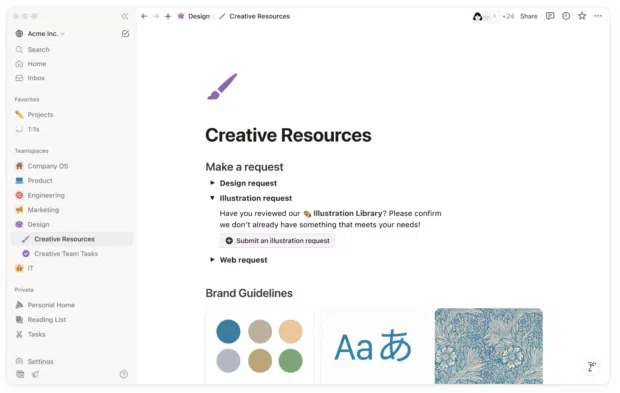
Notion is an all-in-one workspace that a lot of content-heavy teams use to pull their whole workflow together.
Social teams can use it to build content calendars, store brand guidelines and SOPs, and assign tasks. And because everything lives side by side, your team can plan, collaborate, and stay organized without jumping between different tools. Full Notion AI is now included with Notion’s Bu
Save time managing your social media marketing strategy with Hootsuite. Publish and schedule posts, find relevant conversions, measure results, and more â all from one dashboard. Try it free today.
The post How to build a social media workflow in 2026 appeared first on Social Media Marketing & Management Dashboard.